Studio Dashboard · Beta
Your backend, in plain sight.
Every shard, build, config value and performance test for your game, in one place. Your whole team gets a clear view of the backend you run on Pragma Engine, and answers in seconds instead of a Slack thread.
Included with every Pragma Engine deployment
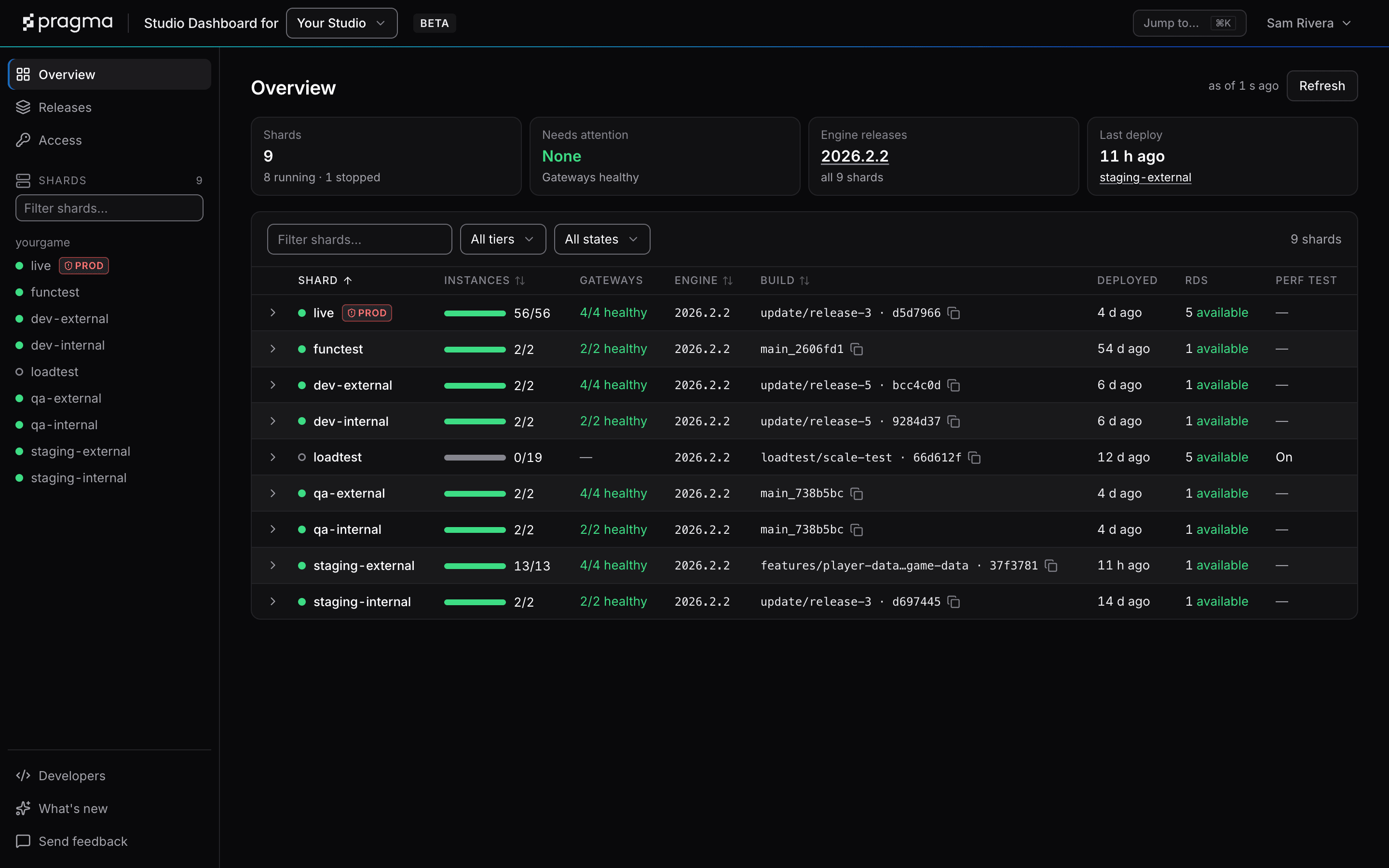
Details for every environments and every title, on one page
Engine version and build version for all to see quickly
The same API behind the dashboard, the Labs CLI and your own tools
Everything about your backend, one click away.
Built for everyone who ships your game, not just the engineer who knows where to look.
01
Shards at a glance
Know what's up without asking.
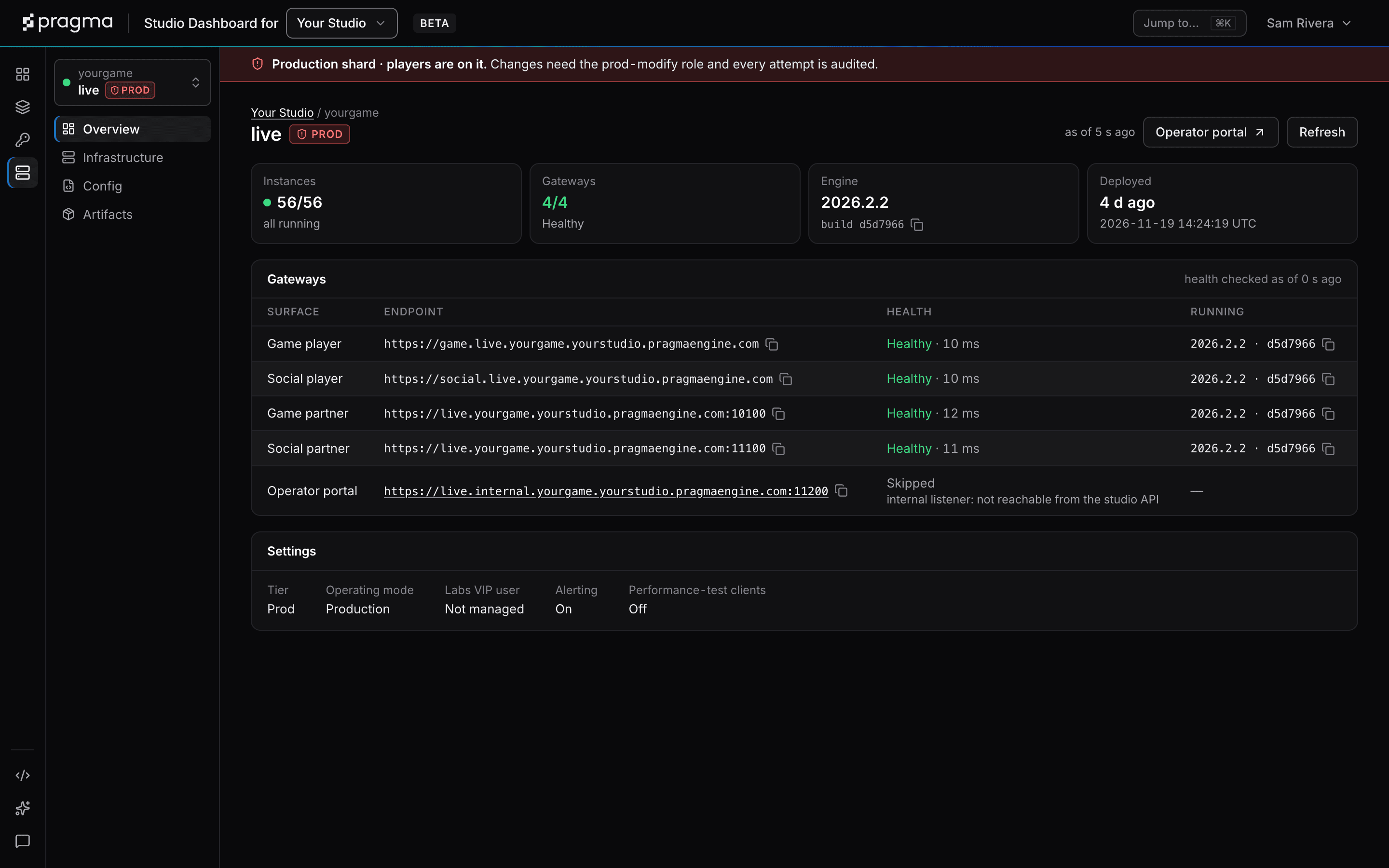
Every shard of every title on one page: whether it's running, how many instances it has, which engine version it's on and whether its gateways answer. Anything that needs attention rises to the top.
- Dev and prod clearly marked, so nobody mistakes one for the other
- Gateway health checked on the player and partner ports
- Jump to any shard or page from the keyboard
02
Releases and artifacts
Know exactly what's deployed.
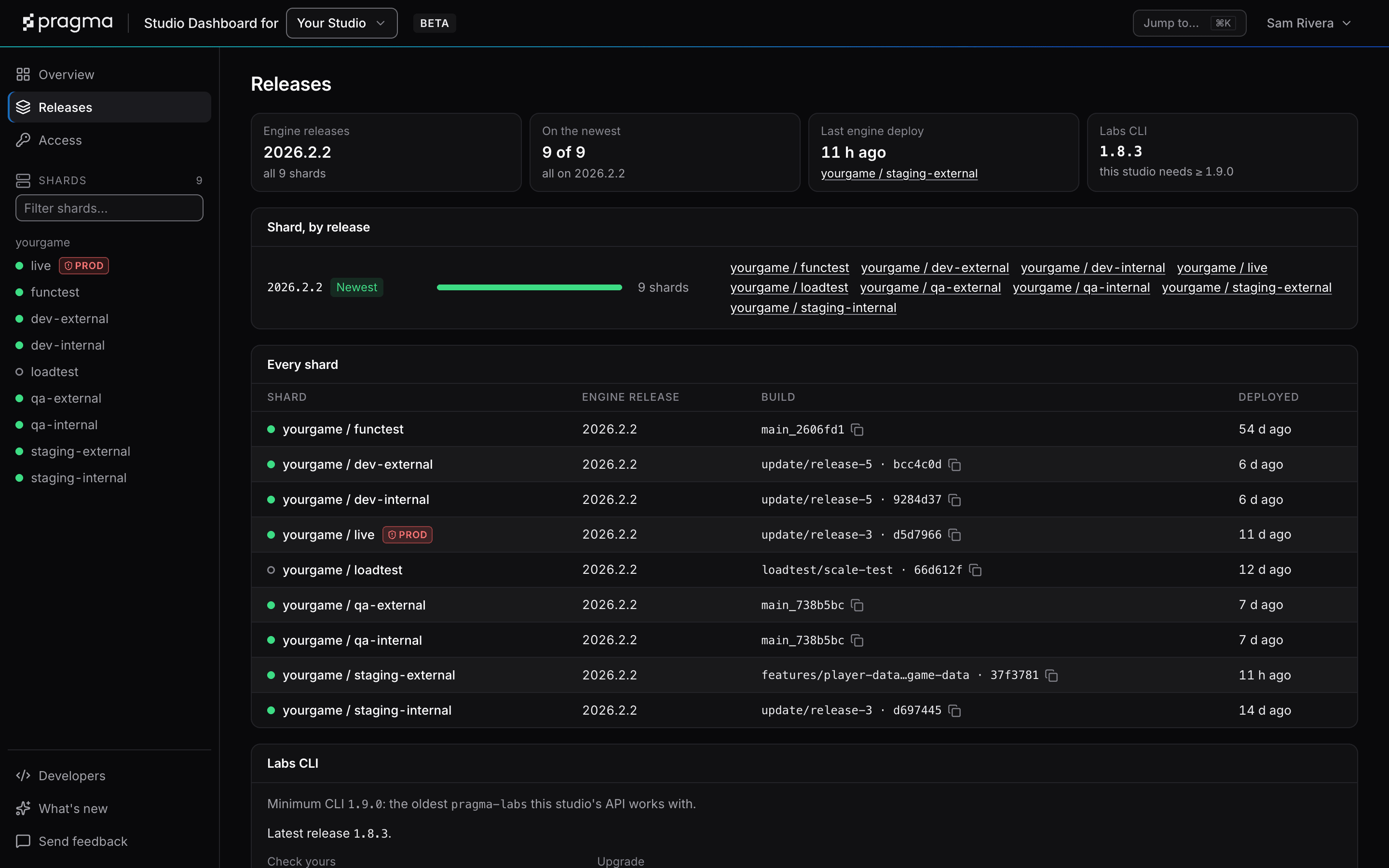
See the Pragma build on each node and the platform, config, content and portal artifacts on every shard, with when each went out, next to the latest engine release. When a bug shows up, the first question already has an answer.
- Deployed version on every node
- Last deploy for every shard
- Your engine version against the newest release
03
Config view
BetaSee why two shards behave differently.
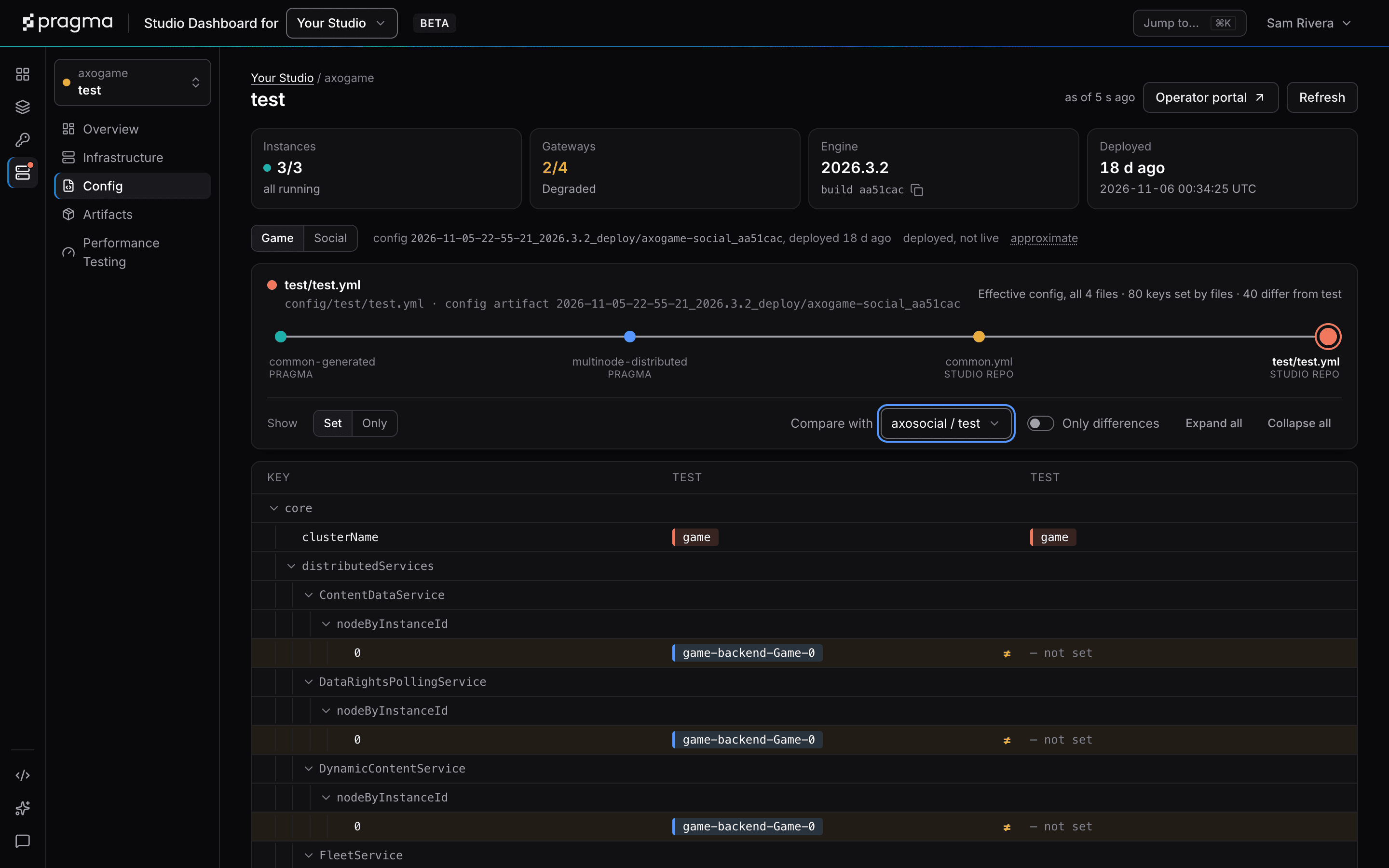
One tree of the configuration a shard actually runs with. Every value is colored by the file that set it, so Pragma's defaults and your overrides are told apart at a glance. Compare two shards and show only what differs.
- Hover any value for the file that set it and the value it replaced
- Step through your config files in load order
- Secrets stay masked, always
04
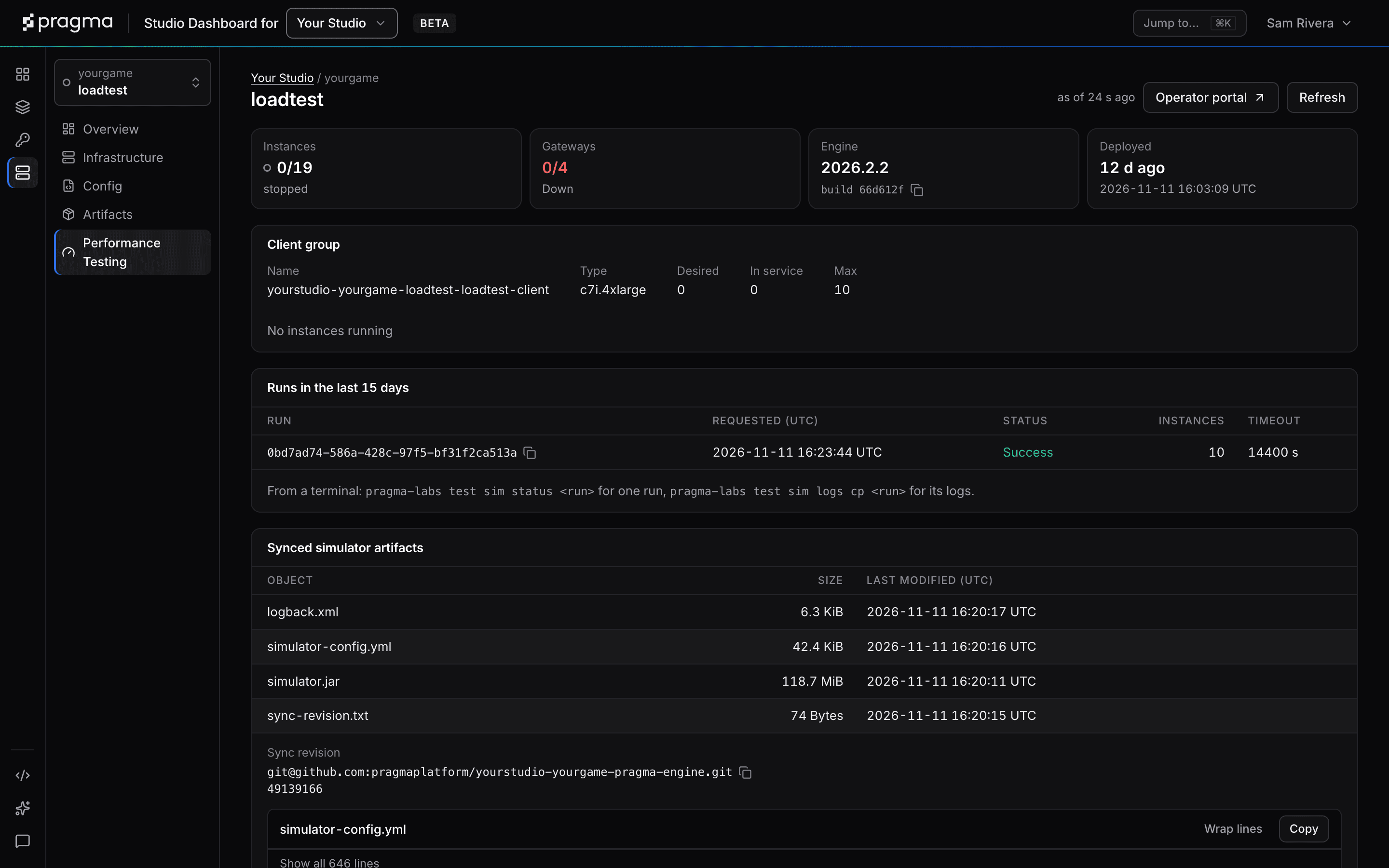
Performance testing
Your load tests, on the record.
Every simulation run against a shard, with its settings and outcome, beside the simulation build and config your test clients will run next. Results the whole team can read, not just whoever ran the test.
- Run history with settings and outcome
- Which simulation build and config are synced
- Shows on any shard set up with test clients
05
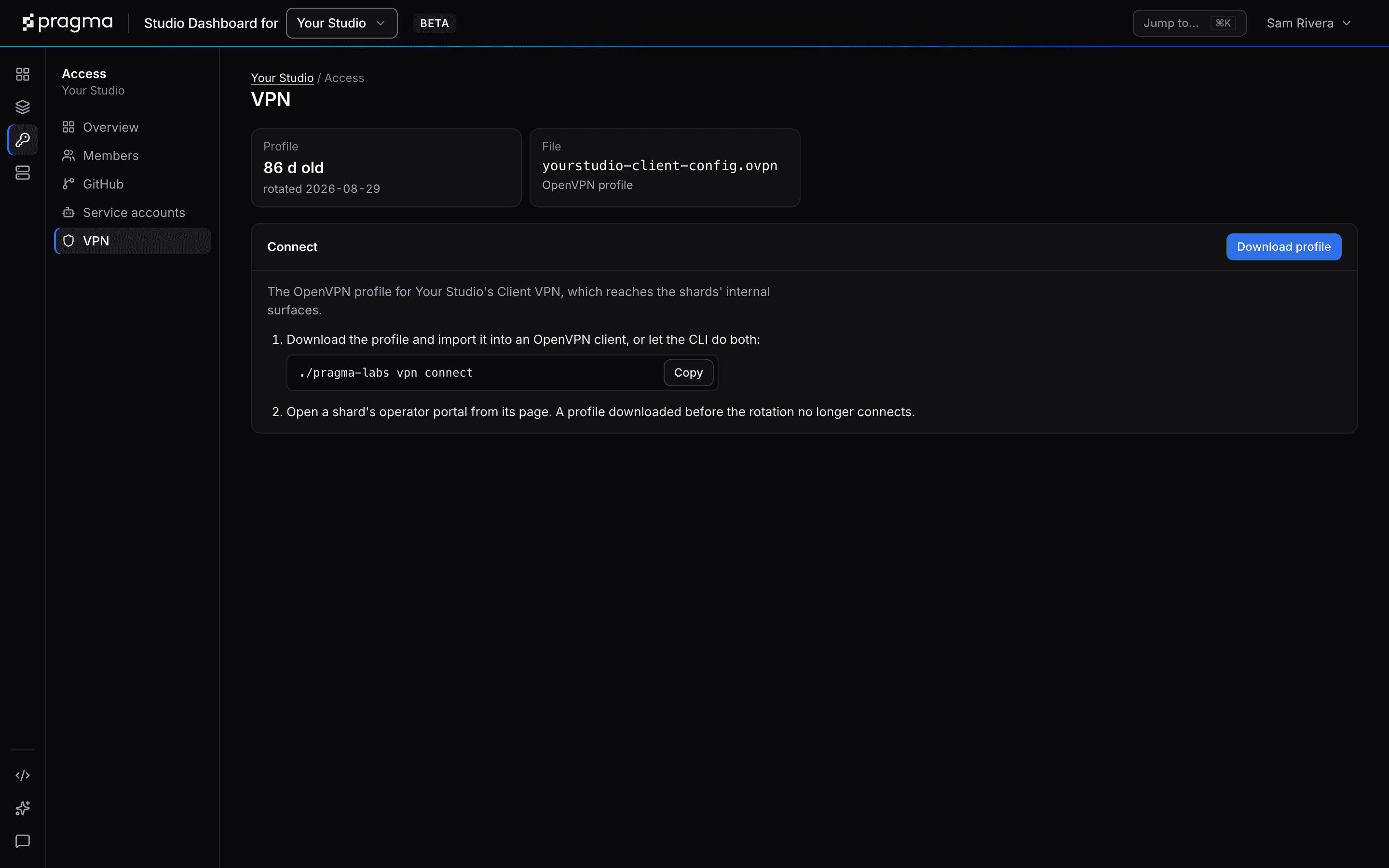
Access
Get your team connected.
Download your VPN profile, create service accounts for your own tools and see who on your team has access. No tickets, no waiting on us.
- VPN profile, one click
- Service accounts for your scripts and pipelines
- Your team's members and how each got access
Your tools, our API.
The dashboard is one client of a documented API. The Labs CLI is another, and your own tools can be the next.
Documented API
A published API reference for everything the dashboard shows.
Labs CLI
The same data from your terminal: shard status, config and simulation runs.
Service accounts
Client credentials so your own services, bots and pipelines can call it.
$ pragma-labs env status
# Reads the same studio API as the dashboard.
# Signs in once, with a device code.
From seeing your backend to running it.
We ship updates to the dashboard every week. Here's what's next.
- Spin dev shards down when nobody is using them, and back up when you need them
- Start, stop and restart Pragma on a shard
- Deploys from the dashboard
- Roles that keep prod changes in the right hands
- A map of which services run on which nodes
Studios vote on what we build next, right in the dashboard.